
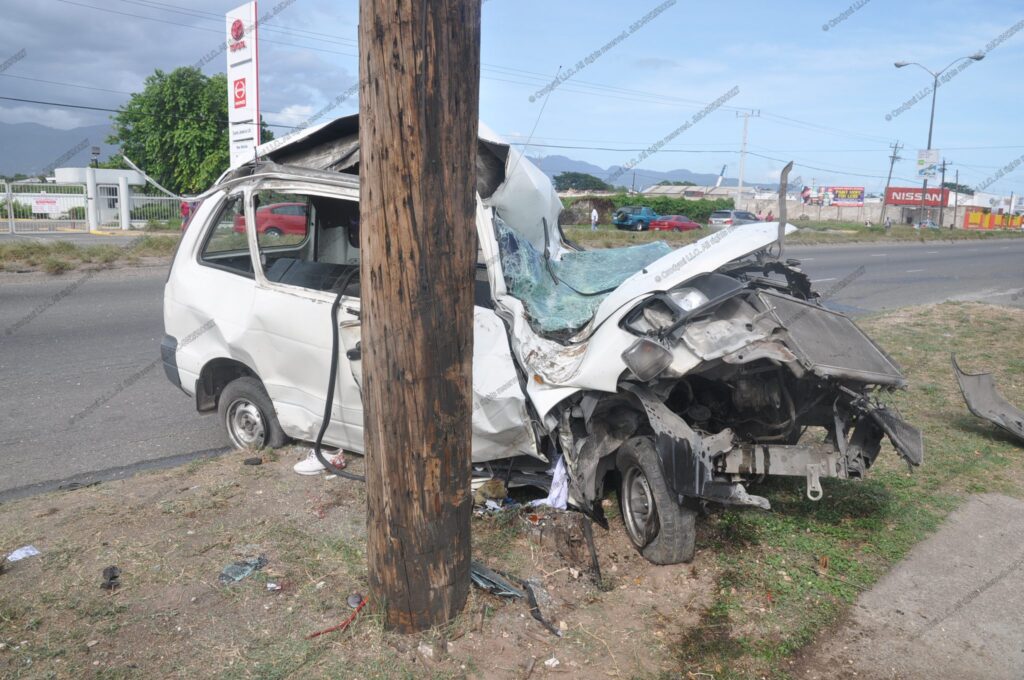
Accident Reconstruction Report Using Fleet Data
When black box data is unavailable, infotainment is too expensive, or scene evidence is weak, fleet tracking records may become one of the most valuable digital evidence sources in a crash. For attorneys, fleet managers, insurers, and claims teams, cloud-based telematics can help establish timing, route history, stop activity, speed trends, and operational behavior before and after impact.
Why Fleet Data Matters After a Crash
EDR or black box data may not always capture what you need. Infotainment may not always justify the cost. Physical evidence at the scene may be incomplete, degraded, moved, or no longer reliable by the time the case is examined. One important source that is often overlooked is the fleet tracking system attached to the vehicle or tied to the company’s cloud platform.
Fleet data is not just for dispatch, route optimization, payroll timing, or operational oversight. In the right case, it can become critical crash evidence. It may help prove or disprove timing, location, route history, stop durations, speed-related patterns, idle periods, activity windows, and operational movement tied to the vehicle under investigation.
Get started
Start the process today — no upfront payment required. We’ll provide the service now, and you can settle the payment later.
Tell us what you need
Get updates & continue
Drop your email so we can follow up. You can skip if you prefer.
Popular Fleet Management Systems
If your vehicle or company uses a fleet platform, there may be valuable data in the cloud, in exported reports, or inside the company’s internal database. Below are examples of major platforms commonly associated with telematics, routing, GPS, reporting, or vehicle operations.
Geotab
Used widely for GPS fleet tracking, trips, vehicle activity, and cloud-based telematics workflows.
Platform + APISamsara
Known for fleet visibility, routing, safety workflows, webhooks, and telematics-oriented cloud records.
Platform + REST APIVerizon Connect
Common in fleet GPS tracking environments with reporting, dashboards, and export-oriented workflows.
Platform + ReportsMotive
Often used in connected fleet operations with developer tools, reporting, and operational integrations.
Platform + APIAzuga
Can involve GPS, behavior monitoring, reporting, and integration-ready fleet data workflows.
Platform + APIOmnitracs
Frequently associated with transportation, logistics, route oversight, compliance, and operational analytics.
PlatformZonar
Used in fleet environments with connected data, reporting, and integration capabilities.
Platform + Open APICommon Fleet Data Formats
Fleet records do not always come as one clean report. Depending on the provider, subscription, export method, and internal company workflow, crash-related telematics may exist in several structured and unstructured forms.
In practice, one case may involve multiple layers of information: a CSV export from the tracking company, screenshots or HTML views from the dashboard, PDF route summaries, account-level event logs, and data copied from the fleet owner’s internal system. Proper analysis often begins by normalizing these formats into a clean timeline that can be reviewed and compared against crash facts.
What Can Be Pulled or Analyzed
- Vehicle route history
- Location and timestamp sequences
- Stop durations and dwell periods
- Trip start and end activity
- Speed-related trends or event-linked records
- Idle time and ignition-related activity
- Dispatch and scheduling correlations
- Driver or vehicle assignment history
- Company database exports tied to operations
- CSV, JSON, HTML, or PDF data normalization
Where authorized, cloud-based data may be reviewed through available APIs or from data exports delivered by the provider or fleet owner.
How Crodymi Can Help
Crodymi can assist with the cloud-based side of the evidence. That includes identifying likely fleet data sources, reviewing the platform involved, analyzing data exported from the tracking company, and working with API-accessible records where proper authorization exists.
If the fleet owner already has operational records in an internal database, those records can also be analyzed from a crash reconstruction perspective to develop a timeline, compare statements, and identify patterns that may support or challenge a case theory.
How an Expert Analyzes Fleet Data in Crash Reconstruction
Raw telematics alone is not the conclusion. The real value comes from expert interpretation. From a crash reconstruction standpoint, the analysis focuses on whether the digital activity fits the physical facts, witness accounts, reported timeline, and claimed vehicle behavior.
Questions the data may help answer
- Was the vehicle where the driver said it was?
- Was it moving, stopped, idling, or parked at the relevant time?
- Does the route history support or contradict the reported trip?
- Do stop times and dispatch timing align with statements made in the case?
- Are the recorded movement patterns consistent with the claimed crash sequence?
- Is there a timing conflict between the report, the phone calls, and the vehicle activity?
Why this can be powerful evidence
- It may establish a digital timeline when scene evidence is weak.
- It can expose inconsistencies in statements and reports.
- It can narrow down speed, stop, and movement issues.
- It may show operational behavior before and after impact.
- It may support preservation requests and targeted discovery.
- It helps convert messy operational records into understandable findings.
For lawyers, this means better questions, stronger timeline development, and more targeted discovery. For fleet-owning companies, it means understanding the event with more precision before assumptions harden into allegations.
Why Fleet Data Can Outperform Other Sources
EDR or black box data may not always capture the event you need. Infotainment may not always return the most cost-effective answer. Physical evidence at the scene may be missing, changed, degraded, or never documented well enough to resolve critical issues. In those situations, fleet data can become one of the most practical and information-rich sources available.
This same information that companies use for routing, dispatch, utilization, timing, and productivity can also become highly relevant evidence after a crash. It may help prove or disprove what a vehicle was doing, when it was doing it, and whether the case theory matches the operational record.
Frequently Asked Questions
Can fleet tracking data help if there is no useful black box data?
Yes. In the right case, fleet data can provide location sequences, route history, stop durations, time markers, and movement-related records that become important when EDR or black box evidence is missing, unsupported, or limited.
Can you pull the data directly from the cloud?
Where access is authorized and the provider supports it, I can assist with cloud-based review and API-supported data handling. I can also analyze data already exported by the tracking company, the fleet operator, or the company’s internal database.
What if the company already has internal fleet records?
That can still be extremely useful. Internal operational databases, dispatch logs, trip records, and exported reports may help build a reconstruction timeline and compare digital activity against statements and crash facts.
Should infotainment be downloaded first?
Not always. In many cases, requesting the fleet tracking data first is the faster and more economical move. If the cloud-based records answer the key timing and movement questions, an expensive infotainment download may not be necessary at the outset.
Need Fleet Data Analyzed After a Crash?
If your case involves a commercial vehicle, service fleet, delivery vehicle, or company-owned unit with telematics, there may be valuable cloud-based evidence available right now. I help attorneys, fleet managers, insurers, and claims teams evaluate route history, timing, movement, and operational records from a crash reconstruction perspective.
Access to provider data, APIs, and company systems is always subject to authorization, account permissions, and data availability.
Related Services
Strengthen this page with internal links to your core services so Google understands topical relevance and users can move deeper into your site.
Get started
Start the process today — no upfront payment required. We’ll provide the service now, and you can settle the payment later.
Tell us what you need
Get updates & continue
Drop your email so we can follow up. You can skip if you prefer.
Fleet Data Accident Reconstruction FAQ
Answers for attorneys, fleet managers, insurers, and companies that need fleet data analysis, GPS tracking evidence, telematics crash investigation, commercial vehicle data review, and accident reconstruction using fleet data.
1. What is accident reconstruction using fleet data?
Accident reconstruction using fleet data is the process of analyzing fleet tracking records, GPS logs, telematics data, route history, stop times, trip activity, and related cloud-based vehicle data to understand what a company vehicle was doing before, during, and after a crash. This type of fleet crash analysis can help lawyers, insurers, and fleet owners build a timeline, test statements, and support or challenge liability.
2. Can fleet tracking data help if EDR or black box data is missing?
Yes. EDR data or black box data may not always be captured, accessible, or relevant enough on its own. In many commercial vehicle cases, fleet management data, GPS vehicle tracking, and telematics reports can provide valuable information such as location history, speed-related trends, route sequence, arrival and departure timing, and operational movement. This can be critical in a crash reconstruction report when traditional evidence is limited.
3. What type of fleet data can be analyzed after a crash?
A post-crash review can include trip history, vehicle movement logs, stop duration data, driver activity logs, dispatch records, geolocation history, route scheduling records, time tracking data, vehicle speed records, event timestamps, and fleet database exports. Depending on the provider, this information may exist in CSV, Excel, JSON, HTML dashboard exports, PDF reports, or internal company systems.
4. Can fleet data be pulled through an API?
In some cases, yes. If the fleet tracking company or telematics provider offers authorized access, data may be retrieved through an API. This can help obtain cloud-based fleet data efficiently for analysis. Where API access is not available, the data may still be obtained through CSV exports, PDF reports, dashboard downloads, or direct records from the company’s internal database. API-based access is especially helpful for large datasets, repeated trip records, and structured timeline reconstruction.
5. What fleet management companies commonly store useful crash-related data?
Common platforms that may contain useful fleet telematics data include Geotab, Samsara, Verizon Connect, Motive, Azuga, Omnitracs, and Zonar. These systems may store or generate GPS tracking reports, trip history, vehicle activity reports, route logs, driver behavior records, and cloud-based fleet evidence that can be relevant in a commercial vehicle crash investigation.
6. Why is fleet data important for lawyers and insurance claims?
For attorneys and insurers, fleet data analysis after a crash can help establish a clearer timeline and test whether witness statements, company records, and physical evidence are consistent. It may assist with liability analysis, subrogation review, commercial vehicle litigation, defense strategy, and plaintiff-side investigation. In some cases, it can help prove or disprove claims involving speed, timing, route deviation, stop duration, dispatch activity, and vehicle presence at a specific location.
7. Is infotainment data always better than fleet tracking data?
Not necessarily. Infotainment data can be useful in certain cases, but it may be expensive and may not always provide the fastest or most relevant answers. Often, fleet tracking data is quicker to request, easier to organize, and more directly useful for a vehicle timeline analysis. In many fleet or company vehicle cases, starting with the telematics provider or company fleet database may be the most practical first step before considering more expensive downloads.
8. What file formats are most useful for fleet crash analysis?
Useful formats include CSV, XLSX, JSON, PDF, HTML, SQL database exports, and other structured or semi-structured records. CSV fleet data and JSON telematics data are especially useful because they can be cleaned, normalized, and analyzed in tools such as Python, spreadsheets, or database systems. Proper formatting is important because a good accident reconstruction using telematics depends on turning raw operational data into a reliable timeline and defensible findings.
9. What questions can a crash reconstruction expert answer with fleet data?
A crash reconstruction expert may use fleet tracking evidence to help answer questions such as: Was the vehicle where the driver claimed it was? Was it moving, stopped, idling, or off-route? Did the route history match the reported trip? Do the timestamps align with the dispatch schedule, driver statement, or police report? Is there evidence of unusual delay, stop activity, or movement before the crash? These are the types of questions that make fleet data reconstruction highly valuable in commercial vehicle cases.
10. Who should request fleet data analysis after a crash?
Attorneys, fleet managers, insurance adjusters, claims professionals, risk managers, and companies operating work vehicles should consider fleet data analysis after a crash, especially where a commercial vehicle, service truck, delivery vehicle, contractor vehicle, or company-owned fleet unit is involved. Early review of fleet telematics evidence can preserve valuable data, reduce uncertainty, and improve the quality of a crash investigation.
Get started
Start the process today — no upfront payment required. We’ll provide the service now, and you can settle the payment later.
Tell us what you need
Get updates & continue
Drop your email so we can follow up. You can skip if you prefer.